CRM
Accounts & Opportunities
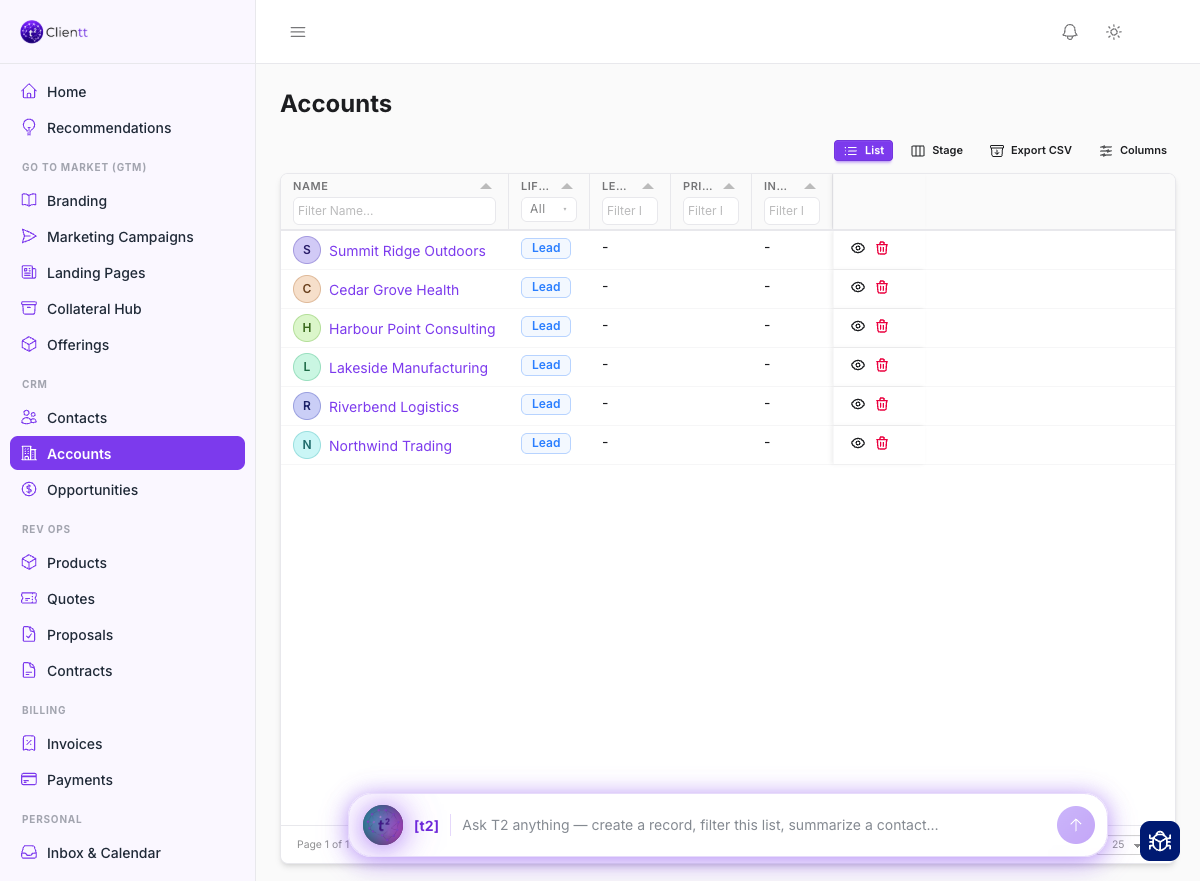
Accounts are the companies you work with. Opportunities are the deals you're pursuing with them. Together they give you a clear picture of who you're selling to and how each deal is progressing.
Accounts
An account is a company record. Open one and you'll find tabs for the details that matter about working with that company.
- Its contacts — the people you know at the company.
- Its email threads, so every conversation with the company is in one place.
- Its addresses, for locations you do business with.
Clientt can automatically fetch a company's logo, and the assistant can enrich the record with details pulled from the web. To create a new account, just ask the T2 assistant.
- Type “create an account for Acme” into the T2 assistant.
- Review the preview card and confirm to save the new account.
- Open the account and add its contacts, or ask T2 to enrich it with web details.
- Switch between the contacts, email, and addresses tabs to see everything in one place.
Opportunities
Opportunities are the deals you're pursuing. Track your pipeline against the accounts and contacts each deal belongs to, so you always know which companies and people are involved. Each deal has its own detail view where you can follow its progress from first interest to close.
Engagements
An engagement tracks one buying journey with a customer — its stage, who owns it, and the people involved. Open an account or contact and switch to the Engagements tab to see the ones you're tracking with them.
Start one with Start an engagement on the tab (or just ask the assistant) and fill in a short form — until you do, the tab is empty. Once an engagement is active, emails and meetings from its contacts link themselves to it within a few hours, and you can open it to see the full activity feed. To pull in a campaign, quote, or document, ask the assistant to link it.