Content
Branding
Define your brand once and Clientt applies it everywhere it generates content — so your pages, emails, and other public content always look like you.
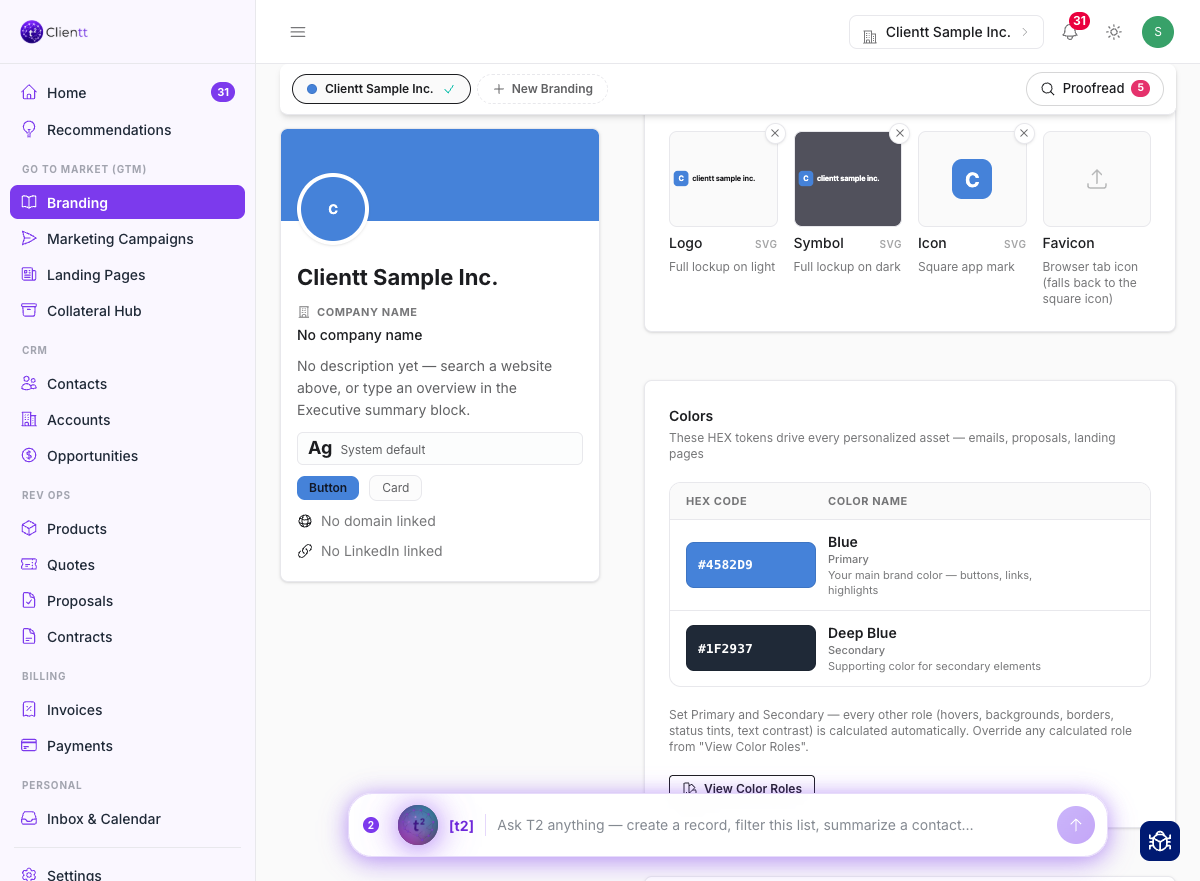
Your brand kit
Set your logos, color palette, fonts, and brand guidelines in one workspace. This is your single source of truth for how your brand looks, so you fill it in once and everything Clientt creates can draw from it.
Import a brand
Don't want to set everything up by hand? Pull a brand in automatically from a website or a brand lookup, and Clientt fills in what it finds — colors, fonts, logos, and more. Review the results and adjust anything you'd like before you save.
Applied everywhere
Once your brand is set, its styles are applied automatically to the content Clientt generates — landing pages, emails, and other public content all pick up your look without you styling each one by hand.
The Branding page can also check your brand for you — open Proofread and it flags gaps and inconsistencies straight away, and you can run Check spelling & grammar in the same panel to have it read your brand copy for typos. Fix them once, in one place, before they appear on anything you send.