Content
Landing Pages & Forms
Build branded landing pages and lead-capture forms that publish straight to the web. Design the page, add a form to collect leads, and go live.
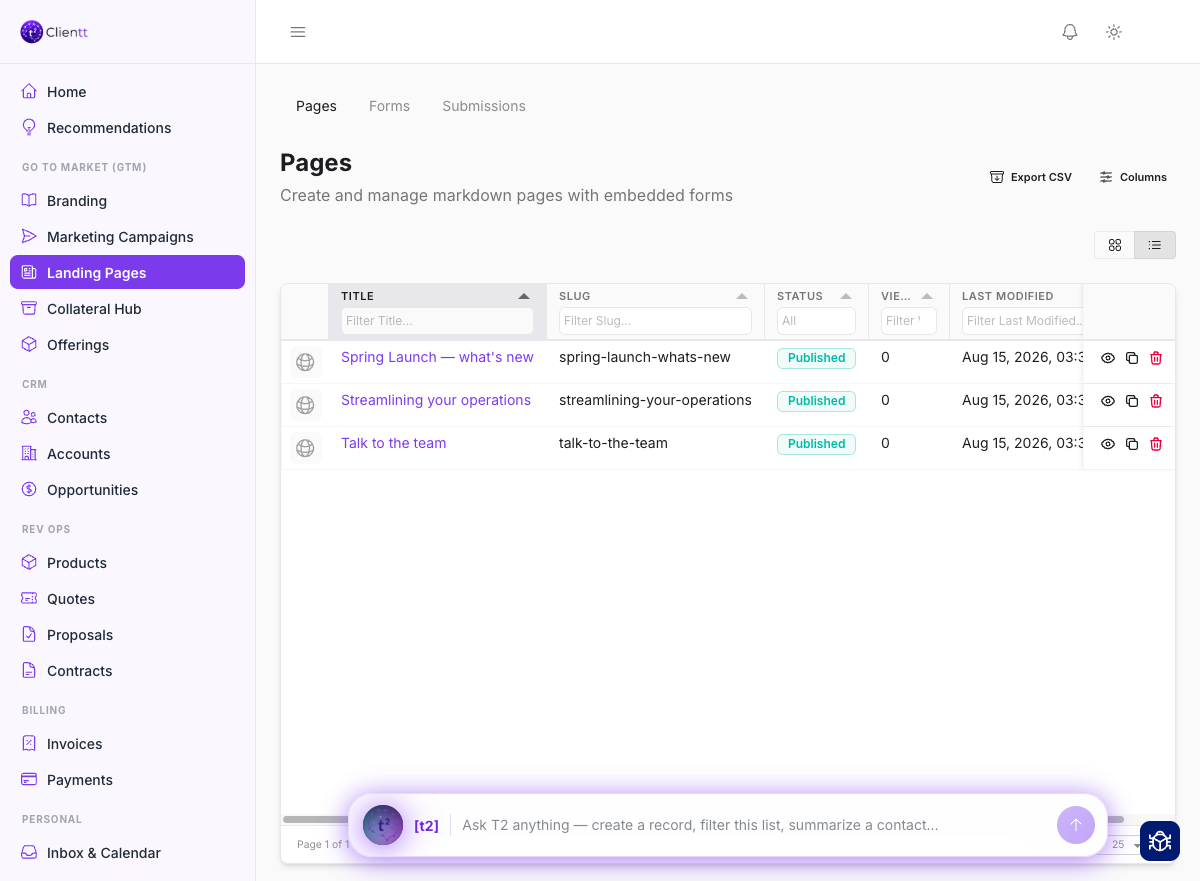
Landing pages
Start from a layout or a template, then shape the page in the block-and-slot editor — swap text and images by editing each slot in place. Embed a form to capture leads, and clone a page whenever you want a head start on the next one. When you're ready, publish a public page that's already styled in your brand.
- Open Landing Pages from the left sidebar.
- Start from a layout or template, or clone an existing page.
- Edit the content by filling in each block and slot.
- Embed a form where you want to capture leads.
- Publish the page to the web, styled in your brand.
Forms
Build a lead-capture form with the fields you want to collect, preview it to see exactly how it will look, and publish it. Once it's ready, embed the form on any landing page so visitors can reach out to you.
Once a form is saved it opens in three tabs (the Share & Embed snippet appears once it's published): Form Content for the fields and layout, Settings for your lead-capture rules and the Share & Embed snippet, and Analytics for how the form is performing. Colors and fonts come from your brand, so an embedded form looks like the rest of your site without extra work.
Saving a design you want to reuse
On a landing page or campaign email, Create Asset renders the design to PDF exactly as its audience sees it and files it in your Collateral Hub in one step, ready to send or attach later. You need permission to create marketing assets to use it.
Landing pages, and campaign emails built from a template, also keep an undo and redo history while you work, so you can try a layout and step back if it doesn't land.
Submissions
Every form submission is collected in one place for you to review. When someone fills out a form, Clientt can create a contact automatically, so a new lead is captured in your CRM without any extra steps.