Marketing
Collateral Hub
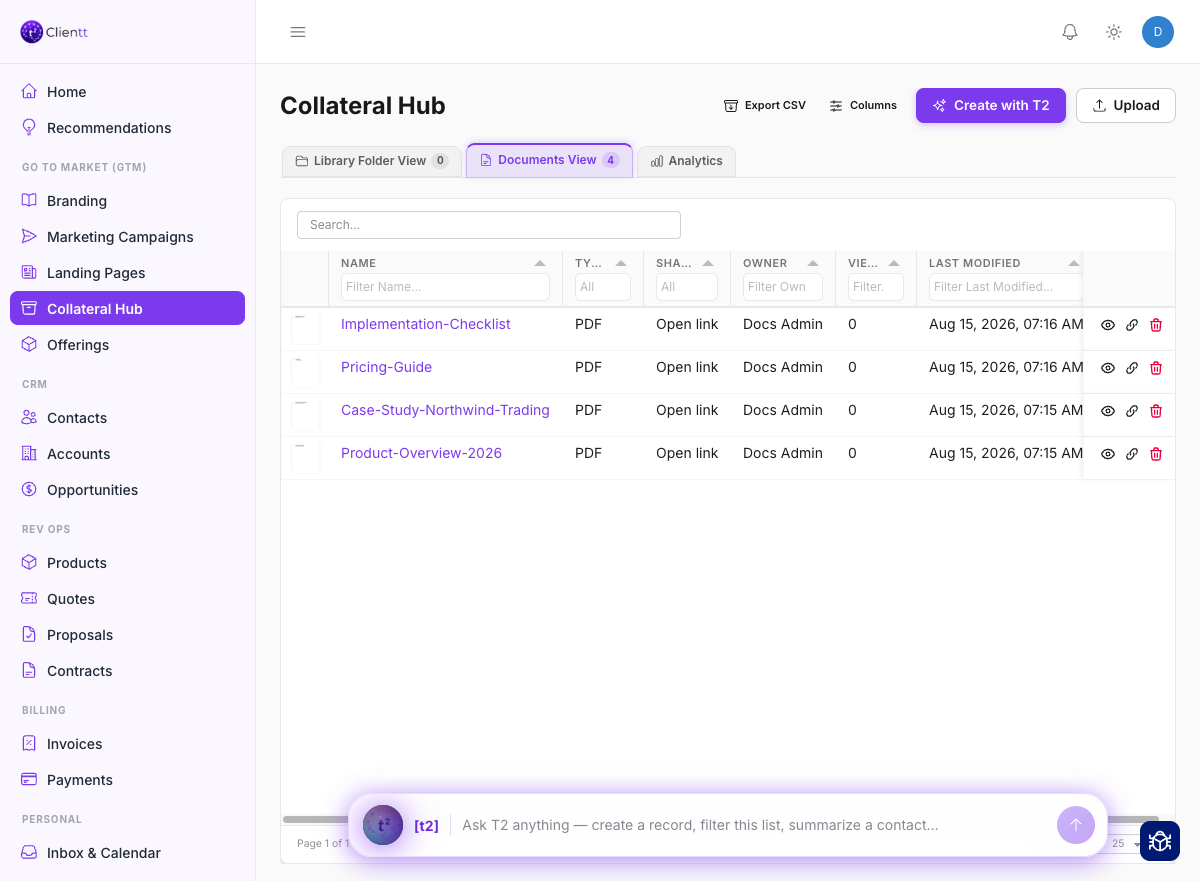
The Collateral Hub is a shared library for your marketing assets and collateral. Keep everything in one place and reuse it across your campaigns and pages.
Your asset library
Upload your marketing assets and keep them organized in one library so your whole team works from the same, up-to-date collateral. Let the assistant enrich an asset with helpful details, and see usage stats and analytics so you know which pieces are actually being used.
Who can see a document
Where you file a document decides who can open it. The Company Library is visible to everyone in your workspace, a team folder only to that team, and My Library only to you. The Library tells you who can see whatever is filed in the folder you're viewing, and the Move dialog tells you who will be able to see it once you move it.
Two defaults are worth knowing. Anything you upload lands in My Library first, where only you can see it. Older documents that were never filed into a folder behave like Company Library ones — visible to your whole workspace.
Analytics
The Analytics tab reports on how your collateral is actually being used — how often people outside your team open them, what's being downloaded, which pieces turn viewers into leads, and where each asset is used across your pages, forms, emails, and campaigns — so you can see which pieces earn their place and which are gathering dust.
Templates
Templates are reusable email and message layouts you build once and reuse whenever you need them. Set up the ones you reach for most, and start from a template instead of a blank page every time.